


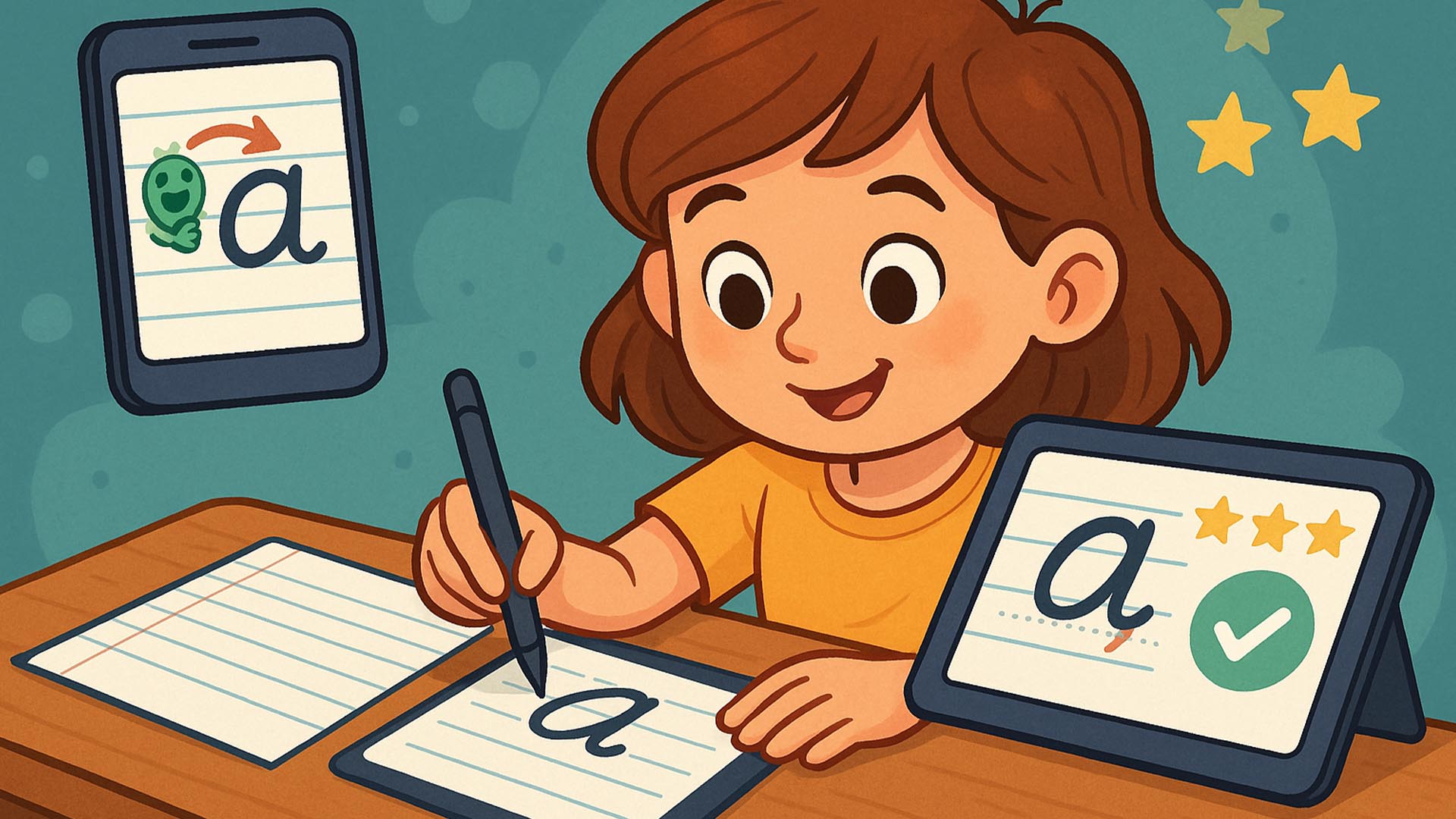
Neat handwriting remains a fundamental skill, and new AI-powered handwriting tutor apps are making practice personalized and engaging. By using camera input or stylus data, these apps analyze each stroke—evaluating letter shape, size, slant, and spacing. Instant visual feedback, interactive drills, and progress tracking turn repetitive writing drills into fun, gamified lessons. In this article, we’ll explore three leading AI handwriting tutors, explain how they work, and share tips for incorporating them into daily routines.
Top AI Handwriting Tutor Apps
- WriteWise Kids: Uses computer vision to assess handwriting via smartphone camera, providing guided corrections and fun animations.
- ScriptaLab Jr.: Stylus-based app for tablets that scores each letter on form and consistency, awarding stars for improvement.
- LetterLeap: Gamifies penmanship with level-based challenges—kids “rescue” story characters by writing letters neatly.
How They Teach
- Stroke Analysis: AI models trained on thousands of handwriting samples identify deviations and suggest precise adjustments.
- Interactive Drills: Drag-and-drop letters, trace-over exercises, and timed writing challenges reinforce muscle memory.
- Progress Visualization: Graphs and badges show daily improvements—motivating continued practice.
Benefits for Children
- Personalized Feedback: Tailored correction tips address each child’s unique writing habits.
- Confidence Building: Gamification and visible progress foster pride in handwriting.
- Fine Motor Skill Development: Repeated practice improves dexterity and control.
Getting Started
- Select the Right App: Choose based on device availability (camera vs. stylus).
- Integrate Short Sessions: 5-minute daily drills maintain engagement without burnout.
- Combine with Paper Practice: Use app feedback to guide pen-and-paper writing sessions.
Conclusion
AI handwriting tutors transform penmanship practice into a dynamic, personalized journey—combining machine learning, interactive drills, and gamification to help children develop neat, confident handwriting in a way that feels like play.
Q&A Section
Q1: Do these apps require internet?
A1: Most perform AI analysis on-device, so internet isn’t required after initial installation.
Q2: Are they suitable for left-handed kids?
A2: Yes—apps allow setting handedness to adjust stroke guidance appropriately.
Sources:
- EdTech Digest: “Top AI Handwriting Apps”
- Common Sense Media: “WriteWise Kids Review”
- Journal of Educational Technology: “AI in Penmanship Education”



0 Comments